Your first journal
Scaffold a project
wrote my-journal/README.md
wrote my-journal/modules/stamp.py
wrote my-journal/templates/daily.yaml

next: cd my-journal && journalkit build --png    # then open out/
templates/daily.yaml is a two-page document, modules/stamp.py is a small
module type it uses, and the README explains the layout. Only templates/
is required in a project.
Build it
wrote /…/my-journal/out/daily-01-front.svg
wrote /…/my-journal/out/daily-02-back.svg
wrote /…/my-journal/out/daily-01-front.png
wrote /…/my-journal/out/daily-02-back.png
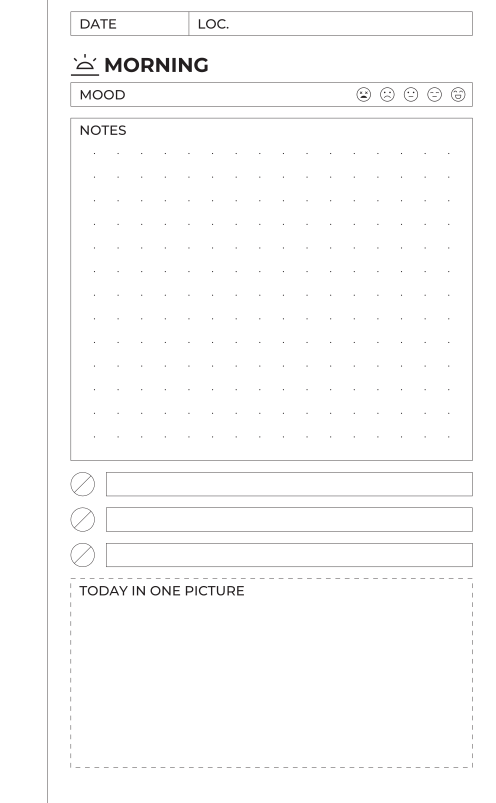
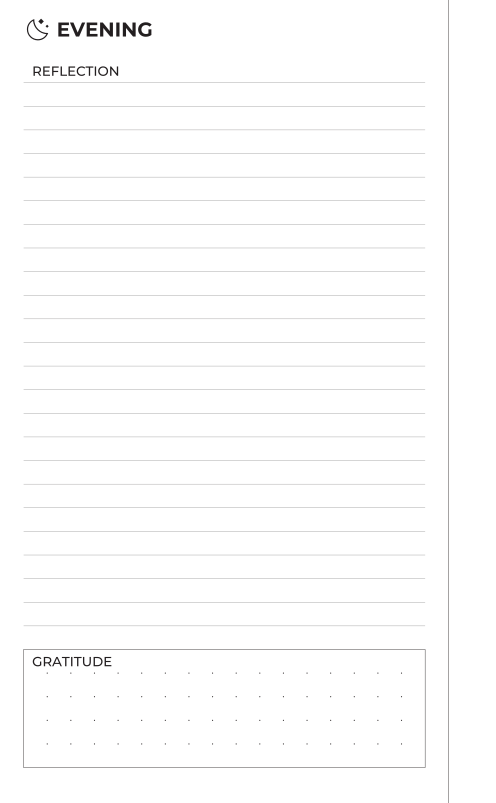
The front is a recto: a date and location row, a heading with an icon, a
mood scale, a notes box that takes whatever height is left, three checklist
rows, and a dashed frame drawn by the stamp module. The back is a verso:
the wide binding margin and the rule beside it have moved to the right. The
template only says side: left; the margins mirror on their own.
Read the template
Open templates/daily.yaml.
document: daily            # (1)!

page:
  size: [105, 170]         # (2)!
  margins:
    top: 2.5
    bottom: 7.5
    inner: 15              # (3)!
    outer: 5

grid:
  module: 2.5              # (4)!
  dots:
    spacing: 5
    origin: [0, 2.5]

templates:
  front:
    side: right
    content:               # (5)!
      - type: fields
        columns: [{label: DATE, width: 25}, {label: "LOC."}]
      - type: heading
        text: MORNING
        icon: sunrise
      # …
pages:
  - template: front        # (6)!
  - template: back
- The name, used for output file names.
- Width and height in millimetres. Names like
a5orpocketwork too. inneris the binding side: the left margin on a recto, the right on a verso.- Every module snaps to this grid. Dots are a separate, coarser lattice.
- A page is a stack of modules, top to bottom.
- The pages to render, in order.
Everything else is optional. The document reference lists every key.
Change something
In front, change the checklist from rows: 3 to rows: 6 and build
again. The checklist grew and the notes box shrank by the same amount,
because height: fill means whatever is left. The stack still ends on the
bottom margin.
Now give the notes box height: 21:
The build succeeded and the box is 20 mm. Warnings go to stderr with exit
code 0; --strict makes them errors. Put fill back.
Make a PDF
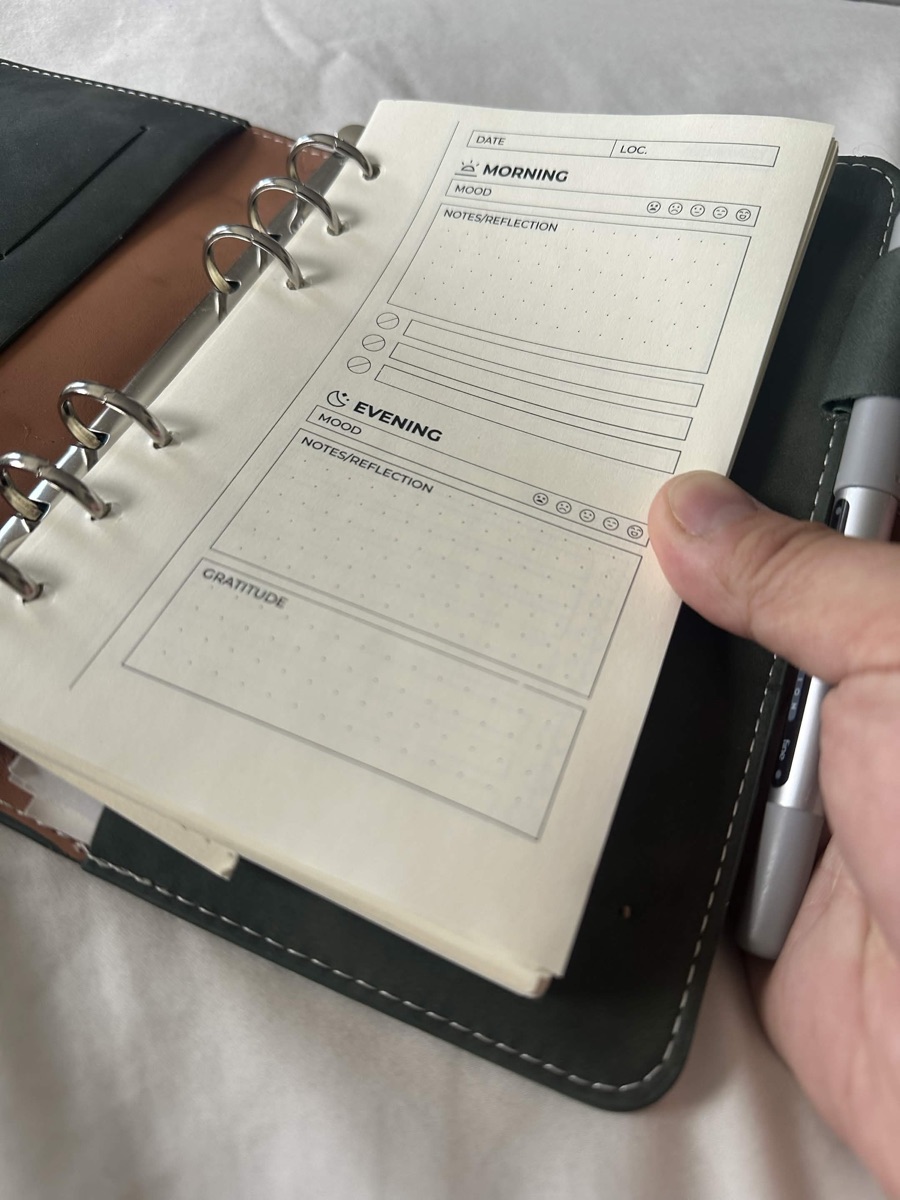
out/daily.pdf is the printable document. check confirms that every
module landed on the grid and that the PDF contains no font substitutions:
== module grid ==
daily / front                   2.5mm   6 placements, 0 off-grid
daily / back                    2.5mm   3 placements, 0 off-grid

9 placements checked; all on the 2.5mm grid

== embedded fonts ==
daily.pdf                    text outlined, no fonts embedded

fonts ok
Next: add a page.